Power Platform is known as the low-code option. Code apps make it a platform for pro developers as well: you write an ordinary React and TypeScript app with your own tools, and Power Apps hosts it with Microsoft Entra sign-in, Dataverse, connectors and the governance your admins already run.
I tried it from the GitHub Copilot app with Microsoft's Code Apps plugin. In one session of under an hour, on a laptop that started without Node.js, Copilot scaffolded a React app, connected it to a Dataverse table, published it to Power Apps and added a Power Automate flow that routes each request. A few days later, in the same chat, it built a second flow with the Power Automate plugin.
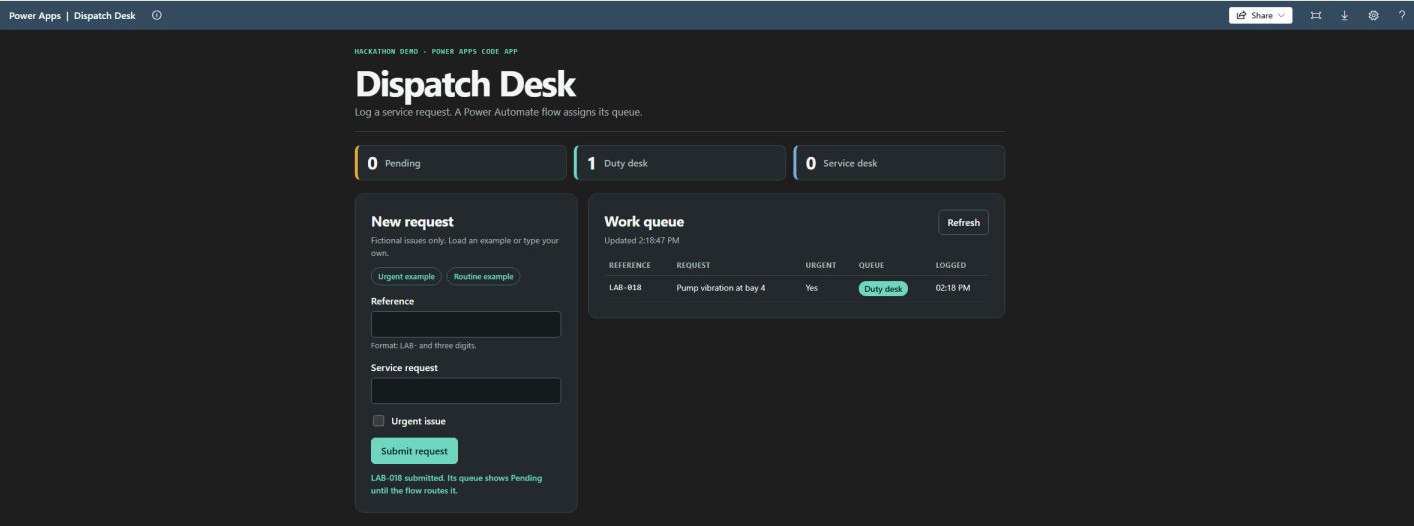
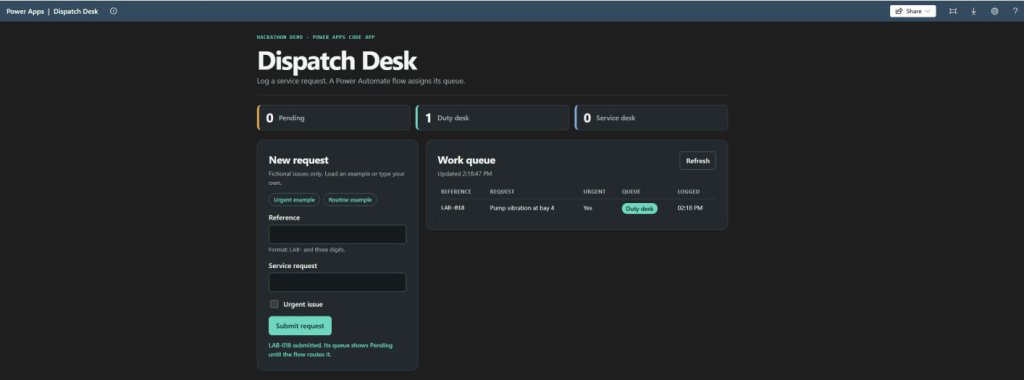
Dispatch Desk in the Power Apps player. The app is React; the queue on each request is set by a Power Automate flow.
What a code app is
A code app is a custom web app that you build code-first, in React, Vue or another framework, and run on Power Platform. You keep full control of the UI and logic. The platform covers the rest:
| Concern | In a code app |
|---|---|
| UI and logic | Your React and TypeScript, built with Vite |
| Hosting | Power Apps, at a URL in the Power Apps player |
| Sign-in | Microsoft Entra ID |
| Data | Dataverse and 1,500+ connectors, through generated typed services |
| Governance | Data loss prevention, Conditional Access and sharing limits |
| Release | Solutions that move between environments |
What you need
- A Power Platform environment with Dataverse and code apps enabled. An admin switches this on per environment, in the Power Platform admin center under Settings > Product > Features.
- Node.js 22 or later, plus the Azure CLI, which the plugins use to create Dataverse tables and work with flows.
- The GitHub Copilot app with Microsoft's Code Apps (preview) and Power Automate plugins.
- Power Apps Premium, or one of the alternatives Microsoft lists, for the people who will run the app.
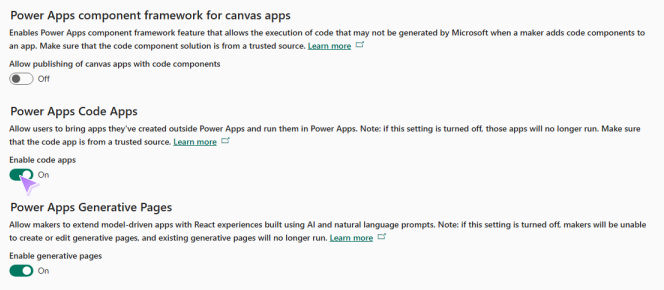
The environment setting that allows code apps.
The plugins come from Microsoft's microsoft/power-platform-skills marketplace. Add it from Customize in the Copilot app, or ask Copilot to do it. In my session it ran:
copilot plugin marketplace add microsoft/power-platform-skills
copilot plugin install code-apps-preview@power-platform-skills
copilot plugin install power-automate@power-platform-skills
Restart the app and the Code Apps skills show up in the session: create-code-app, add-dataverse, deploy and a dozen more.
From a prompt to a hosted app
The demo is a small dispatch desk. A dispatcher logs a service request with a reference, a title and an urgent flag, and sees which queue it lands in.
Copilot followed the Code Apps plugin's workflow. Trimmed of flags, these are the commands it ran:
npx degit microsoft/PowerAppsCodeApps/templates/vite dispatch-desk
cd dispatch-desk
npm install
npm install --save-dev @microsoft/power-apps-cli

npx --no-install pa auth login
npx --no-install pa app init --display-name "Dispatch Desk" --environment-id <environment-id>
npx --no-install pa app add data-source --connector dataverse --table hx_request

npm run build
npx --no-install pa app push --solution-id <solution-id>
Three of those lines are the whole Power Platform integration. init points the project at an environment, add data-source generates a typed client for the table, and push publishes the build:
App pushed successfully. You can play your app at https://apps.powerapps.com/play/e/<environment-id>/app/<app-id>
The code is ordinary React
The template is Vite, React 19 and TypeScript. The Power Platform parts are an npm package, a Vite plugin and the generated service, so reading and writing Dataverse looks like any typed client:
import { Hx_requestsService } from './generated/services/Hx_requestsService'

// load(): read the queue
const result = await Hx_requestsService.getAll({ select: COLUMNS, orderBy: ['createdon desc'], top: 50 })

// handleSubmit(): log a request
const record: NewRequest = { hx_ref: cleanRef, hx_title: cleanTitle, hx_urgent: urgent }
const result = await Hx_requestsService.create(record as Omit<Hx_requestsBase, 'hx_requestid'>)
There are no fetch calls, tokens or connection strings in the source. The production bundle is 284 kB, 85 kB gzipped.
Data and automation from the same session
Copilot created the Dataverse table through the Web API, inside a solution: Title, Reference, Urgent and Queue, with an alternate key on Reference so each request exists once. It then added a cloud flow to the same solution. When a request is added, the flow checks Urgent and writes the queue back to that row. The app itself never sets Queue.
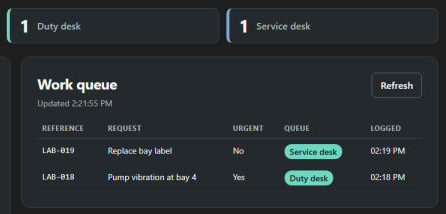
| Request | Urgent | Queue set by the flow | After submit |
|---|---|---|---|
LAB-018 Pump vibration at bay 4 |
Yes | Duty desk | 3 seconds |
LAB-019 Replace bay label |
No | Service desk | 5 seconds |
The Power Automate plugin validated the flow definition before it was created and read the run history back into the Copilot session. The same two runs in the Power Automate portal:

One more flow, built with the Power Automate plugin
The app could already route a request. What I had not done yet was let the Power Automate plugin build a flow from start to finish.
So a few days later I went back to the same chat and asked for exactly that: add a Power Automate component, and use the GitHub Copilot app to do it.
Copilot kept it small. Whoever takes over the desk wants one answer first: how many requests are sitting in each queue right now? It built an instant flow called Shift Handover that answers that. You run it by hand. It reads the open requests on the duty desk, on the service desk and the ones still waiting for a queue, then returns one summary line. It only reads Dataverse. It does not send anything to anyone.
The plugin gives Copilot real Power Automate tools. Copilot loaded the plugin's build-flow skill and then used the tools in this order:
| Step | Plugin tool | What came back |
|---|---|---|
| Look up the Dataverse action | get_operation_details |
The exact parameters of List rows |
| Check the definition | validate_flow |
valid: true |
| Create the flow, switched off | create_flow |
Shift Handover, Stopped |
| Switch it on | publish_flow |
Started |
| Run it and wait | run_flow |
Succeeded |
| Read what it produced | get_run_action_content |
The summary below |
The flow itself is short: a manual trigger, three List rows actions that run side by side, and a Compose that counts what they found. This is one of the three:
"List_duty_desk_requests": {
  "type": "OpenApiConnection",
  "inputs": {
    "host": {
      "apiId": "/providers/Microsoft.PowerApps/apis/shared_commondataserviceforapps",
      "connectionName": "shared_commondataserviceforapps",
      "operationId": "ListRecords"
    },
    "parameters": {
      "entityName": "hx_requests",
      "$select": "hx_ref",
      "$filter": "hx_queue eq 'Duty desk' and statecode eq 0",
      "$top": 50
    }
  },
  "runAfter": {}
}
Copilot ran the flow and read the result back into the chat:
{
  "dutyDesk": 1,
  "note": "Each count is capped at 50.",
  "pending": 0,
  "serviceDesk": 1,
  "summary": "1 on the duty desk, 1 on the service desk, 0 pending"
}
That matches the two requests in the app. The run took 0.7 seconds, and the flow went from created to its first finished run in about a minute.
That is the part I wanted to see. Nobody opened the designer. I asked for a flow in one sentence and got one that was already running, with a result I could check against the app.
One more step put it where it belongs. The plugin creates the flow in the environment, so Copilot added it to the Hack Dispatch solution with a single Dataverse call. It shares the routing flow's connection reference. Copilot ran it once more after the move and got the same answer in 0.5 seconds.

One solution, ready to move

The code app, the table, both flows and the connection reference they share sit in one solution. That is the unit Power Platform uses to move work between environments, so the standard options apply from here: export a managed solution, or set up pipelines for development, test and production.
Why this matters for pro developers
- Your stack. React, TypeScript, Vite, ESLint and Git. The app is a normal front-end project that you can read, review and test.
- No infrastructure to stand up. Hosting, identity and the database are already there. Users sign in with Microsoft Entra ID and open the app from Power Apps.
- Governed like everything else in the tenant. The app runs under the data policies, Conditional Access and sharing limits your admins already manage.
- The agent does the plumbing. Copilot and the plugins handle scaffolding, data binding, deployment and flows, so the time goes into the app.
Start your own
Ask an admin for an environment with code apps enabled, add the Code Apps and Power Automate plugins, and give Copilot a prompt along these lines:
Create a Power Apps code app called Dispatch Desk. It logs service requests with a reference, a title and an urgent flag in a Dataverse table, and lists them with their queue. Deploy it to environment
<environment-id>.
Then ask for the automation the same way:
Add an instant flow called Shift Handover that counts the open requests in each queue and returns one summary line. Use Dataverse only and do not send anything.
Microsoft's quickstart walks through the same steps in the Copilot CLI, and the plugin repository has the details.
References
- Power Apps code apps: features and requirements
- Quickstart: Build a code app with GitHub Copilot
- Application lifecycle management (ALM) for code apps
- Pipelines in Power Platform
- The Code Apps and Power Automate plugins: microsoft/power-platform-skills
- Code app templates and samples: microsoft/PowerAppsCodeApps


Leave a Reply